Call Us: +91-7042640351, 9891868324

Common Issues Faced By HP Laptop Users After Warranty Expiry
By Admin | 19 Jan 2026
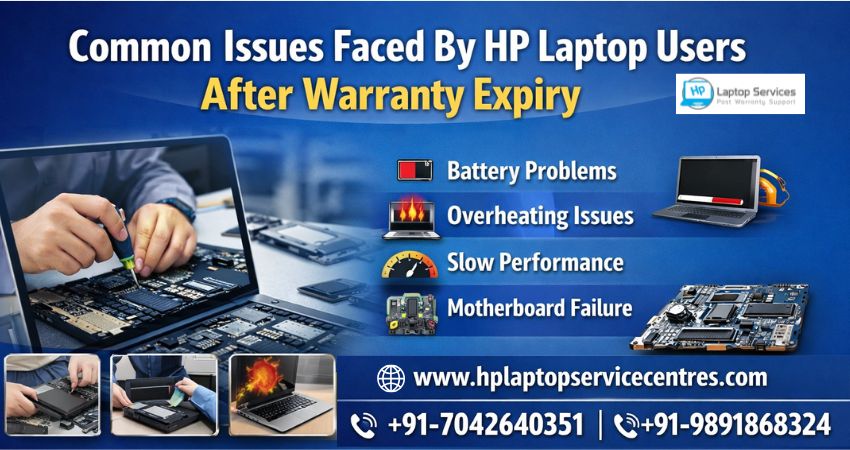
HP laptops are known for their performance, sleek design, and reliability. However, once the warranty period ends, many users begin to notice technical problems that can disrupt daily work, studies, or business operations. Understanding the common issues faced by HP Laptop users after warranty expiry helps in taking timely action and avoiding costly replacements.
This blog explores the most frequent post-warranty HP laptop problems, their causes, and why professional out-of-warranty repair services are the smartest solution.
Why Do HP Laptops Develop Issues After Warranty Expiry?
Most HP laptops are designed to work efficiently for years, but continuous usage, software updates, environmental factors, and aging hardware eventually take a toll. After the warranty expires, even minor issues can become frustrating if not handled by skilled technicians. Regular wear and tear, overheating, and outdated components are common triggers.
Common Issues Faced By HP Laptop Users After Warranty Expiry
1. Battery Draining and Charging Problems
One of the most reported problems is rapid battery drain. HP laptop batteries naturally degrade over time, leading to:
- Reduced backup time
- Laptop shutting down unexpectedly
- Battery not charging or showing “plugged in, not charging”
- Battery replacement is usually required after 2–3 years of regular use.
2. Overheating and Fan Noise
Overheating is another major concern among HP users. Dust accumulation inside the cooling system can block airflow, causing:
- Excessive heat
- Loud fan noise
- Sudden shutdowns
- Performance throttling
Ignoring overheating may damage internal components like the processor or motherboard.
3. Slow Performance and Frequent Freezing
Many users complain that their HP laptops become sluggish after a few years. Common reasons include:
- Failing hard drives
- Insufficient RAM for newer software
- Malware or corrupted system files
Upgrading to an SSD or increasing RAM can significantly improve speed.
4. Keyboard and Touchpad Malfunctions
Keyboard keys not responding, typing automatically, or touchpad lag are common issues faced by HP laptop users post-warranty. These problems often arise due to:
- Liquid spills
- Dust buildup
- Wear and tear from long-term use
In some cases, keyboard or touchpad replacement becomes necessary.
5. Display and Screen Issues
Screen-related problems can appear suddenly and worsen over time, such as:
- Flickering display
- Black screen on startup
- Vertical or horizontal lines
- Dim or uneven brightness
These issues may stem from damaged display panels, loose cables, or GPU-related faults.
6. Motherboard and Power Issues
Motherboard failure is one of the most serious and expensive problems after warranty expiry. Symptoms include:
- Laptop not turning on
- No display but power light on
- Random restarts
Professional diagnosis is crucial to determine whether repair or component-level fixing is possible.
7. Wi-Fi and Connectivity Problems
HP users also face network-related issues such as:
- Wi-Fi disconnecting frequently
- Bluetooth not working
- Network drivers failing after updates
These issues may require driver reinstallation or hardware repair.
8. Software Errors and OS Crashes
Outdated drivers or failed operating system updates can cause:
- Blue screen errors
- Booting issues
- Application crashes
Expert software troubleshooting can restore system stability without data loss.
Why Choose Professional HP Laptop Service Centers?
Once the warranty expires, relying on authorized or professional service centers becomes essential. A trusted HP Laptop Service Center offers:
- Affordable rates compared to brand-authorized replacements
- Out-of-warranty repair solutions without compromising quality
- Doorstep services, saving time and effort
- Multi-laptop brand repair services, making it a one-stop solution Dell, Lenovo, Acer, Asus, Apple, Samsung
Experienced technicians use genuine or high-quality compatible parts to ensure long-lasting repairs.
Doorstep HP Laptop Repair – Convenience Matters
With doorstep laptop repair services, users no longer need to visit service centers or wait for days. Certified technicians diagnose and repair issues at your location, ensuring transparency and faster turnaround times. This service is especially helpful for professionals and businesses relying heavily on their laptops.
When Should You Seek Immediate Repair?
You should contact a professional HP laptop service center immediately if you notice:
- Burning smell or excessive heating
- Laptop not powering on
- Data loss or hard drive failure signs
- Repeated system crashes
Delaying repairs can increase damage and overall repair costs.
Contact Trusted HP Laptop Service Centers
If you are experiencing any of the common issues faced by HP Laptop users after warranty expiry, expert help is just a call away. Skilled technicians provide reliable solutions for hardware and software problems at affordable prices.
Mobile Numbers: +91-7042640351 | +91-9891868324
Whether it’s battery replacement, motherboard repair, screen issues, or performance upgrades, professional HP Laptop Service Centers ensure your device performs like new again—even after the warranty ends.
Final Thoughts
Warranty expiry doesn’t mean the end of your HP laptop’s life. With timely diagnosis, expert repairs, and professional support, most issues can be fixed efficiently. Understanding common post-warranty problems empowers users to make informed decisions and extend the lifespan of their laptops without unnecessary replacements.
Find us on Google - BSS Laptop Repair Center
Recent Post



Looking For A Fast & Reliable Laptop Repair Service
We have professional technicians, fast turnaround times and affordable rates. Book Your Repair Job Today!
We specialize in all types of laptop services and provide reliable and quality door step service to our clients