Call Us: +91-7042640351, 9891868324

Why Is Your Laptop Not Responding After an Update?
By Admin | 06 Nov 2025
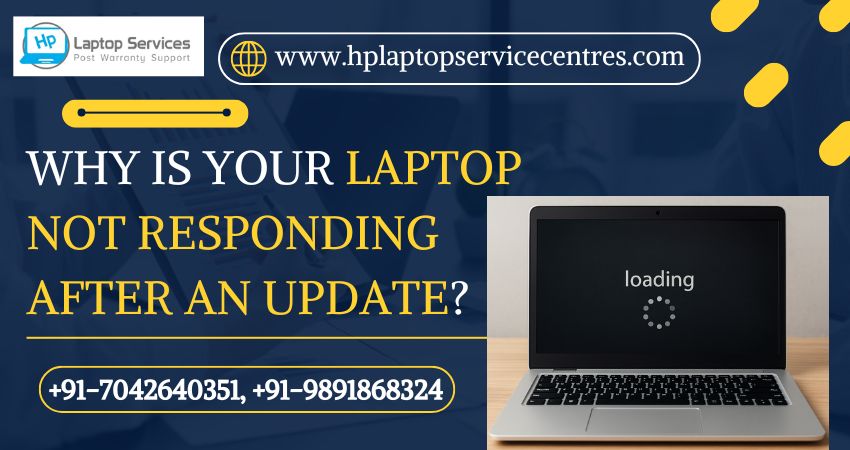
Software updates are meant to make your laptop faster, more secure, and more efficient — but sometimes, they do the exact opposite. Many users experience frustration when their laptop stops responding after an update, freezes frequently, or refuses to boot properly. If you’ve found yourself stuck at a loading screen or facing constant lag after installing the latest Windows update, you’re not alone.
At HP Laptop Service Centers, we regularly help customers who face this issue. Let’s explore the main reasons why your laptop isn’t responding after an update — and how to fix them before things get worse.
1. Incomplete or Interrupted Update Installation
One of the most common reasons for a laptop to stop responding after an update is an incomplete installation.
If your laptop was shut down suddenly, lost power, or disconnected from the internet during the update process, certain system files may have been left corrupted or missing.
Solution:
- Restart your laptop in Safe Mode and attempt to run Windows Update again.
- If Safe Mode doesn’t help, perform a System Restore to roll back your laptop to a previous stable version.
- Avoid turning off your system while an update is in progress.
2. Software Compatibility Issues
After major Windows updates, older software or drivers may conflict with new system changes. This can lead to freezing, lagging, or a total system crash.
Solution:
- Go to Device Manager ? Check for outdated or incompatible drivers.
- Uninstall any recently installed third-party applications that may not support the new Windows version.
- Update your graphics, chipset, and network drivers from your laptop manufacturer’s official site.
At HP Laptop Service Centers, our technicians use advanced diagnostic tools to find and fix compatibility conflicts that a normal user might miss.
3. Corrupted System Files After Update
When Windows updates fail to install correctly, some system files may become corrupted, causing your laptop to stop responding or perform erratically.
Solution:
- Open Command Prompt (Admin) and run the command:
sfc /scannow
This will scan and repair corrupted system files. - Follow up by running:
DISM /Online /Cleanup-Image /RestoreHealth
This ensures your laptop’s operating system is fully repaired.
If you’re unsure how to perform these commands, our team at HP Laptop Service Centers can handle it for you — ensuring no data loss and a smooth repair experience.
4. Insufficient Storage Space
Sometimes, updates fail because there’s not enough free space on your hard drive or SSD. When Windows tries to apply updates without enough storage, it can cause the laptop to freeze or fail to boot properly.
Solution:
- Free up at least 20–25 GB of space before performing any update.
- Use Disk Cleanup to remove temporary and junk files.
- Move large files or unused programs to an external drive.
Our experts at HP Laptop Service Centers can also help you upgrade your storage drive for better performance and faster updates.
5. Background Processes Overloading the System
If your laptop becomes unresponsive right after an update, background tasks may be consuming too much CPU or memory. Windows might be indexing files, syncing OneDrive, or applying update changes in the background.
Solution:
- Open Task Manager (Ctrl + Shift + Esc) and check the “Processes” tab.
- End unnecessary programs consuming high memory or CPU.
- Restart your laptop to refresh system resources.
If you’re still facing performance lags, an expert tune-up from HP Laptop Service Centers can help optimize startup apps, clean background tasks, and improve speed dramatically.
6. Driver Conflicts After Windows Update
Windows updates often install generic drivers automatically, which may not work well with your laptop’s specific hardware. This can lead to unresponsive touchpads, flickering displays, or even system freezes.
Solution:
- Visit the HP official website and manually download the latest drivers for your laptop model.
- Reinstall drivers for graphics, audio, and network devices.
- Disable automatic driver updates through Windows settings to avoid future issues.
Our skilled engineers at HP Laptop Service Centers specialize in driver repair and reinstallation for all major laptop brands — not just HP. We handle multi-brand laptop repair efficiently and affordably.
7. Malware or Virus Interference
Sometimes, a virus or malicious software can interfere with the update process or corrupt files during installation. The result? Your laptop refuses to respond or crashes repeatedly after an update.
Solution:
- Run a full antivirus scan using Windows Defender or a trusted third-party antivirus.
- Boot in Safe Mode with Networking and use malware removal tools.
- Always keep your antivirus updated before performing any system update.
If malware has damaged your operating system, we at HP Laptop Service Centers can perform a deep system cleaning and software repair to restore smooth functionality.
Professional Help When Nothing Works
If your laptop still isn’t responding after trying the above fixes, the problem may be deeper — possibly related to firmware, BIOS settings, or a corrupted operating system.
That’s where professional help becomes essential.
At HP Laptop Service Centers, we specialize in diagnosing and fixing all kinds of software and hardware issues, including:
- Operating system corruption
- BIOS and driver conflicts
- Slow or freezing laptops
- Startup and boot loop errors
- Virus and malware repair
We offer:
- Affordable Rates: Quality repair doesn’t have to break your budget.
- Doorstep Services: Our technicians visit your home or office for quick repair assistance.
- Out-of-Warranty Support: If your warranty has expired, we’ve got you covered.
- Multi-Laptop Brand Repairs: Whether it’s Dell, Lenovo, Acer, ASUS, Apple, Samsung — we fix them all.
Contact Us Today:
HP Laptop Service Centers
+91-7042640351, +91-9891868324
Our trained experts can quickly diagnose why your laptop is not responding after an update and restore it to perfect working condition — safely, securely, and efficiently.
Final Thoughts
A non-responsive laptop after a Windows update doesn’t always mean a hardware failure — often, it’s just a software glitch, corrupted file, or driver issue that can be fixed with the right expertise.
Instead of spending hours troubleshooting or risking data loss, reach out to professionals who can fix it the right way.
At HP Laptop Service Centers, we help customers get back to work faster — without unnecessary stress or expense.
So, the next time your laptop stops responding after an update, remember: help is just one call away
Find us on Google - BSS Laptop Repair Center
Recent Post


Looking For A Fast & Reliable Laptop Repair Service
We have professional technicians, fast turnaround times and affordable rates. Book Your Repair Job Today!
We specialize in all types of laptop services and provide reliable and quality door step service to our clients