Call Us: +91-7042640351, 9891868324

HP Victus Screen Flickering Issue? Here’s What You Need to Know
By Admin | 20 Sep 2025
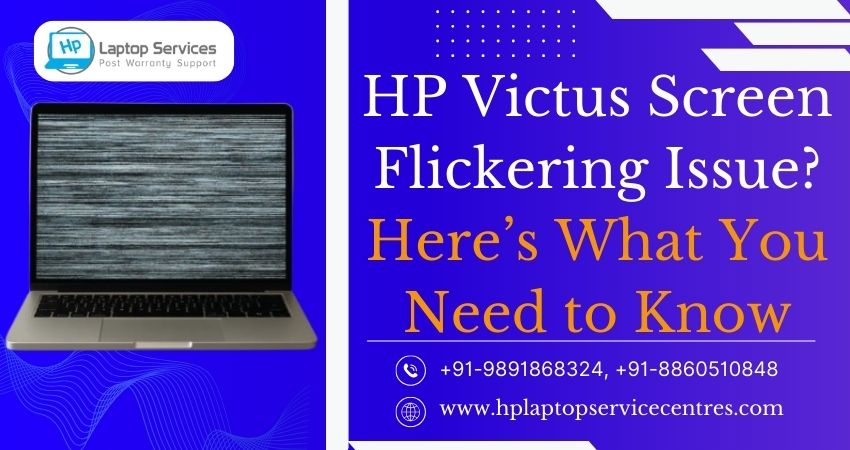
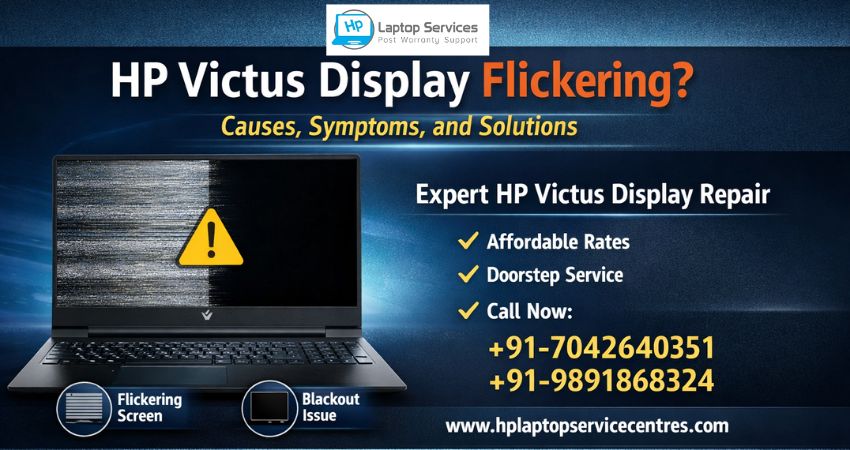
The HP Victus gaming laptop is known for its powerful performance, sleek design, and affordability compared to other gaming machines. However, like any electronic device, it may sometimes develop technical issues. One of the most reported problems is screen flickering.
If you are noticing your HP Victus screen flickering while gaming, streaming, or even browsing, you are not alone. This issue can be both frustrating and disruptive, especially if you rely on your laptop for work, studies, or entertainment.
In this blog, we will explore:
- What causes screen flickering in HP Victus laptops.
- How you can fix minor issues on your own.
- When you should seek professional help.
- Why choosing an HP Laptop Service Center is the best solution.
Common Causes of Screen Flickering in HP Victus
There are multiple reasons why your HP Victus display flickers, ranging from software bugs to hardware failures. Let’s break down the most common causes:
1. Outdated or Corrupt Graphics Drivers
Gaming laptops like the HP Victus rely heavily on dedicated NVIDIA/AMD GPUs. If the driver is outdated, corrupted, or incompatible, the screen may flicker during gaming or high-graphic tasks.
2. Display Refresh Rate Mismatch
Sometimes the refresh rate set in Windows does not match the laptop’s supported display frequency (60Hz, 120Hz, or 144Hz). This mismatch often leads to screen instability.
3. Hardware Issues with the Display Cable
The flex cable connecting your laptop’s screen to the motherboard can get loose or damaged over time, especially if the laptop lid is frequently opened and closed.
4. Third-Party Applications
Some third-party apps and incompatible software may cause conflicts with the GPU or display drivers, resulting in flickering.
5. Overheating Issues
Gaming laptops generate a lot of heat. If the cooling system is clogged or thermal paste has dried up, overheating can affect GPU performance, leading to flickering or screen blackout.
6. Operating System Bugs
Windows updates sometimes come with bugs that interfere with display drivers, causing temporary flicker issues.
DIY Troubleshooting for HP Victus Screen Flickering
Before rushing to a service center, you can try these simple troubleshooting steps at home:
Step 1: Update Graphics Drivers
- Open Device Manager ? Display Adapters.
- Right-click your GPU ? Update Driver.
- Alternatively, download the latest drivers from HP’s official website or directly from NVIDIA/AMD.
Step 2: Adjust Display Refresh Rate
- Right-click on Desktop ? Display Settings ? Advanced Display.
- Choose the correct refresh rate supported by your HP Victus model (e.g., 60Hz or 144Hz).
Step 3: Disable Hardware Acceleration
- In browsers like Chrome or Edge, go to Settings ? System.
- Turn off “Use hardware acceleration when available.”
- Restart the browser to check if flickering stops.
Step 4: Check for Windows Updates
- Go to Settings ? Update & Security.
- Install the latest patches as they often fix driver compatibility issues.
Step 5: Run HP Diagnostics
HP laptops come with built-in hardware diagnostic tools. Restart your laptop and press F2 to run HP Hardware Diagnostics for the display.
If these steps don’t resolve the issue, it’s time to seek professional help.
Why Professional Repair is Important
Sometimes, flickering is a sign of a deeper hardware fault—like a failing GPU, damaged display cable, or screen panel issue. Attempting to fix these without expertise can worsen the damage.
At HP Laptop Service Center, we offer:
- Doorstep Laptop Repair – Our technicians can visit your home/office.
- Affordable Rates – Starting at just ?250.
- Expert Solutions for Out-of-Warranty Laptops – No need to worry if your warranty is expired.
- Multi-Brand Laptop Repair – Apart from HP, we handle Dell, Lenovo, Samsung, Acer, Apple, and more.
Why Choose HP Laptop Service Center?
When it comes to fixing critical laptop issues like screen flickering, you need reliable professionals. Here’s why customers trust us:
1. Experienced Technicians
Our certified engineers have years of experience handling complex laptop repairs, from GPU replacements to motherboard servicing.
2. Genuine & OEM Parts
We use OEM quality parts, ensuring long-lasting performance and stability.
3. Quick Turnaround Time
We understand how important your laptop is for work and entertainment. Most screen flickering repairs are done within 24-48 hours.
4. Doorstep Pickup & Delivery
Can’t visit our center? We provide pickup and drop service for your laptop, saving your time and effort.
5. Transparent Pricing
No hidden charges—repairs start as low as ?250. You only pay for what is necessary.
Preventing Future Screen Flickering Issues
While not all issues can be prevented, following these tips will help keep your HP Victus in top condition:
- Keep your graphics drivers updated.
- Avoid installing unauthorized third-party apps.
- Use a cooling pad during heavy gaming sessions.
- Regularly clean the laptop vents to prevent overheating.
- Get your laptop serviced once a year to check for hardware wear and tear.
When to Call the Experts
If you experience:
- Persistent flickering even after updates.
- Screen blackout during gaming.
- Horizontal/vertical lines on display.
- Overheating with fan noise and flickering.
It’s time to call HP Laptop Service Center immediately. Ignoring these signs may result in costly motherboard or GPU damage.
Conclusion
The HP Victus screen flickering issue may seem like a minor glitch, but it can indicate deeper software or hardware problems. While you can try basic fixes like updating drivers or adjusting refresh rates, professional help ensures long-term stability.
At HP Laptop Service Center, we provide affordable, doorstep, and expert laptop repair solutions for all HP models and other major brands. Whether your laptop is in warranty or not, we’ve got you covered.
Don’t let flickering disrupt your gaming or work—get it fixed today!
Visit HP Laptop Service Center or call: +91-7042640351, +91-9891868324.
Recent Post



Looking For A Fast & Reliable Laptop Repair Service
We have professional technicians, fast turnaround times and affordable rates. Book Your Repair Job Today!
We specialize in all types of laptop services and provide reliable and quality door step service to our clients