Call Us: +91-7042640351, 9891868324

Top 5 Fixes When You Find Your HP Laptop Charger Pin Broken
By Admin | 04 Aug 2025
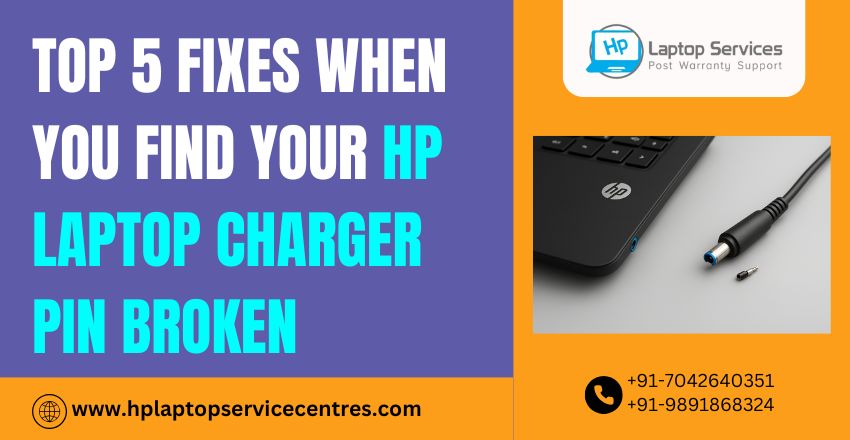
A broken HP laptop charger pin may seem like a small issue, but it can quickly escalate into a serious one. From slow charging and intermittent power to a complete inability to charge your device, this tiny component can disrupt your work, study, or entertainment routines. Whether you're facing issues with a laptop charger pin broken inside the port or the adapter itself, it’s essential to resolve the problem quickly and correctly to avoid further hardware damage.
In this comprehensive guide, we’ll walk you through the top 5 proven fixes when your HP charger pin is damaged, plus tips to prevent it from happening again. If you're stuck and looking for expert help, we also offer affordable, doorstep laptop repair services across India, including Delhi, Mumbai, Pune, Noida, Ghaziabad, and more.
Let’s get started.
What Causes the HP Laptop Charger Pin to Break?
Before we get into the solutions, it’s important to understand what leads to this issue:
- Forceful plugging/unplugging
- Improper storage or twisting of the cable
- Use of duplicate or low-quality chargers
- Dropping the adapter accidentally
- Excessive heat or wear and tear over time
Now that you know the common causes, here’s what you can do when you find the charger pin broken.
Fix #1: Replace the Charger with an Original HP Adapter
If the damage is on the charger pin side (not inside the laptop port), the easiest and most effective fix is to replace the charger altogether.
Why This Works:
- Prevents further damage to the laptop charging port
- Ensures stable voltage and power supply
- Avoids the risks associated with short circuits
Pro Tip:
- Avoid cheap third-party chargers. Always opt for original HP laptop adapters or high-quality certified replacements that match your model specifications.
Fix #2: Repair or Replace the Charging Pin in the Laptop Port (DC Jack Repair)
If the pin is broken inside the laptop charging port, you’ll need a professional to open the laptop and repair or replace the DC jack.
Signs You Need This Fix:
- The pin is stuck inside the port
- Charger keeps slipping out or not fitting properly
- Sparks or heating when plugged in.
What We Do:
- Carefully open the laptop chassis
- Replace the broken DC jack with a matching component
- Resolder the connections and test power delivery
This is a delicate repair job, and we strongly recommend not trying it at home. Our technicians specialize in charging port replacements for HP and all major laptop brands.
Fix #3: Use a Universal Laptop Charger Temporarily
If you're waiting for a repair or original replacement, a universal laptop charger can help keep your device running temporarily.
Caution:
- Only use if it supports the exact voltage and amp rating of your HP laptop
- Never force the tip into a damaged port
- Use this as a short-term fix, not a permanent solution
We stock certified universal chargers that are compatible with multiple HP laptop models. Just tell us your model number.
Fix #4: DIY Fix (Only If the Pin Is Bent, Not Broken)
In some rare cases, if the charger pin is only bent, and not snapped or separated, you can try gently realigning it using tweezers or a plastic tool.
How To Do It:
- Turn off the charger and unplug it
- Use non-metallic tools for safety
- Gently align the pin without pushing it further in
- Plug it in and check if charging resumes
Warning:
Attempt this only if you’re confident. Mishandling may cause short circuits or complete charger failure.
When in doubt, it’s always best to call a technician.
Fix #5: Book a Doorstep Laptop Charger Repair or Replacement Service
Sometimes, the quickest and safest solution is to leave it to professionals.
At HP Laptop Service Centers, we provide:
- Doorstep diagnosis & repair service
- DC jack replacement & soldering
- Genuine HP charger replacements
- Laptop battery checks & power tests
We serve customers in:
- Delhi NCR (Noida, Gurgaon, Faridabad, Ghaziabad, Greater Noida), Mumbai, Pune, Kolkata, and more cities
- All services are available for HP, Dell, Lenovo, Asus, Acer, and more
Contact us now: +91-7042640351, +91-9891868324
Get fast, affordable, and expert help at your doorstep!
How to Prevent Laptop Charger Pin Breakage in the Future
Even after getting it fixed, prevention is key. Here's how:
- Always unplug gently – never yank the charger
- Avoid wrapping the cable tightly
- Keep the adapter in a padded sleeve during travel
- Avoid using your laptop on soft surfaces like beds, which strain the charger
- Keep kids and pets away from charging wires
These small habits can greatly extend the life of your HP laptop charger.
Why Choose HP Laptop Service Centers?
- Fast & Reliable Repairs
- Affordable Rates
- Genuine Parts & Chargers
- Trained Technicians
- Pan-India Reach
- Free Pickup & Delivery in Select Locations
We HP Laptop Repair Service Center, fix not just charger issues, but motherboards, keyboards, hard drives, software issues, and more. And yes—we also support other brands like Dell, Lenovo, Asus, and Acer.
Final Thoughts: Don't Let a Small Pin Break Stop You
A broken charger pin may seem like a small hardware issue, but if neglected, it can lead to bigger and costlier problems. From short circuits to motherboard failures, the risks are real. Whether you're a student, working professional, or business user, your laptop is your lifeline—and you can’t afford power interruptions.
Don’t wait. Get expert help from HP Laptop Service Centers today.
Recent Post



Looking For A Fast & Reliable Laptop Repair Service
We have professional technicians, fast turnaround times and affordable rates. Book Your Repair Job Today!
We specialize in all types of laptop services and provide reliable and quality door step service to our clients