Call Us: +91-7042640351, 9891868324

Why Is Your HP Laptop Plugged In Not Charging?
By Admin | 03 Aug 2026
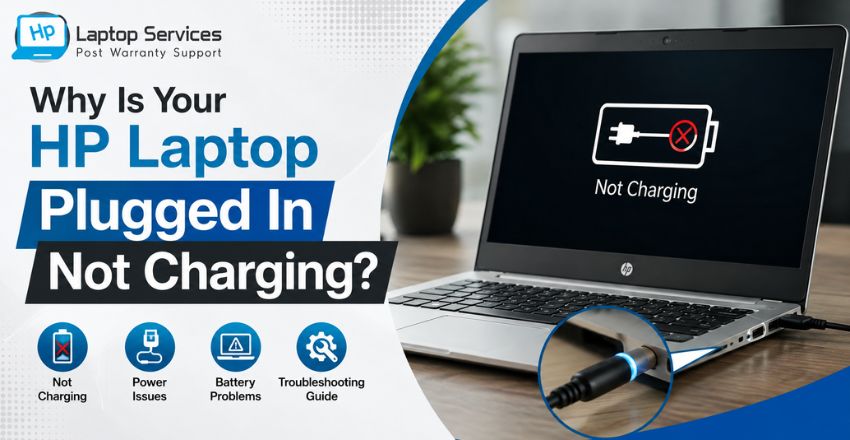
Have you connected your charger only to discover your HP Laptop Plugged In Not Charging? You're not alone. This is one of the most common issues faced by HP laptop users, especially after years of regular use. While the charging indicator may light up, the battery percentage remains unchanged, making it difficult to continue your work or studies.
In many cases, the issue can be resolved with simple troubleshooting. However, it may also indicate a faulty charger, damaged charging port, battery failure, or motherboard-related problem. Understanding the exact cause is essential before replacing any component.
This guide explains the common reasons behind the HP Laptop Plugged In Not Charging issue, practical troubleshooting steps, and when it's time to seek professional repair assistance.
Quick Answer
If your HP Laptop Plugged In Not Charging, try the following:
- Check whether the power adapter and charging cable are working properly.
- Inspect the charging port for dust, loose connections, or physical damage.
- Restart your laptop after disconnecting and reconnecting the charger.
- Update or reinstall the battery drivers from Device Manager.
- Run the HP Battery Check tool if available.
- Verify that the battery is detected in BIOS.
- Test with another compatible HP charger.
- If the problem continues, the battery, charging port, or motherboard may require professional inspection.
Understanding the "Plugged In Not Charging" Error
When Windows displays "Plugged In, Not Charging," it means your laptop is detecting the charger but the battery is not receiving power.
This does not always mean the battery has failed. The problem may originate from software, hardware, or power management settings.
Ignoring this issue for a long time can eventually prevent your laptop from turning on without the charger.
Common Reasons Why Your HP Laptop Plugged In Not Charging
Several factors can cause an HP Laptop Charging Problem. Identifying the root cause helps avoid unnecessary repairs or part replacements.
1. Faulty Charger or Power Adapter
One of the most common reasons is an HP laptop charger not working correctly.
Over time, charging adapters may develop:
- Internal wire damage
- Loose charging pins
- Burnt connectors
- Power fluctuations
If the adapter cannot deliver the required voltage, the laptop may recognize it but refuse to charge the battery.
2. Battery Has Reached the End of Its Life
Every laptop battery has a limited charging cycle.
After several years of use, you may notice:
- Rapid battery drain
- Charging stops at a certain percentage
- Battery not charging at all
An aging battery is one of the leading causes of an HP Laptop Battery Not Charging issue.
3. Damaged Charging Port
A loose or damaged charging port can interrupt power delivery.
Signs include:
- Charger disconnects with slight movement
- Charging light keeps blinking
- Charger feels loose
- Laptop charges only at certain angles
In such cases, HP laptop charging port repair may be required.
4. Battery Driver Issues
Windows manages battery charging through software drivers.
Corrupted or outdated battery drivers can cause the HP Laptop Plugged In But Not Charging message even when the hardware is functioning correctly.
Fortunately, this issue can often be resolved by reinstalling the battery driver.
5. BIOS or Firmware Problems
The BIOS controls communication between your laptop's hardware and operating system.
If the BIOS becomes outdated or corrupted, charging may stop unexpectedly.
Keeping the BIOS updated helps improve hardware compatibility and battery management.
6. Motherboard Charging Circuit Failure
If none of the above solutions work, the problem may lie within the motherboard.
The charging IC or power management circuit can fail due to:
- Voltage fluctuations
- Liquid damage
- Physical impact
- Electrical short circuits
This type of repair should only be performed by experienced laptop technicians.
How to Fix HP Laptop Plugged In Not Charging
Before replacing any hardware, try these troubleshooting steps.
Restart the Laptop
A temporary software glitch can interrupt charging.
Turn off the laptop completely, disconnect the charger, wait for one minute, reconnect the adapter, and power it on again.
Many minor charging issues are resolved with a simple restart.
Inspect the Charger Carefully
Examine the adapter for:
- Cuts or bends in the cable
- Burn marks
- Loose connector
- Damaged plug
If possible, test your laptop with another compatible HP charger.
Clean the Charging Port
Dust and debris inside the charging port can prevent proper electrical contact.
Use compressed air or a soft brush to remove accumulated dust carefully.
Avoid inserting sharp metal objects into the port.
Reinstall Battery Drivers
Sometimes Windows fails to communicate correctly with the battery.
To reinstall battery drivers:
- Open Device Manager.
- Expand Batteries.
- Right-click Microsoft ACPI-Compliant Control Method Battery.
- Select Uninstall Device.
- Restart the laptop.
Windows automatically reinstalls the driver during startup.
Check Battery Health
Most HP laptops include built-in battery diagnostics.
Running a battery health test helps determine whether the battery is functioning normally or needs replacement.
If the report indicates battery degradation, replacing the battery is usually the best solution.
Update Windows and BIOS
Installing the latest Windows updates and BIOS firmware may resolve compatibility issues affecting battery charging.
Always download BIOS updates only from trusted sources and follow the installation instructions carefully.
When Should You Contact a Professional?
If your HP Laptop Plugged In Not Charging problem continues after trying the basic troubleshooting methods, it's best to seek professional assistance. Delaying repairs can lead to further damage, especially if the issue is related to the charging port or motherboard.
You should contact a laptop repair expert if:
- The battery percentage remains stuck at 0% or a fixed percentage.
- The charging indicator turns on, but the battery does not charge.
- The laptop only works when connected to the charger.
- The charging port feels loose or damaged.
- The adapter becomes unusually hot or emits a burning smell.
- The laptop shuts down immediately after unplugging the charger.
- The battery is swollen or physically damaged.
Professional diagnosis ensures that the exact cause is identified before replacing any component, helping you avoid unnecessary repair costs.
Can You Continue Using the Laptop Without Fixing the Issue?
Technically, yes—but it is not recommended.
If your laptop only works while plugged in, you risk losing unsaved work whenever the power supply is interrupted. Additionally, a faulty charging circuit or damaged battery may put extra stress on the motherboard over time, leading to more expensive repairs.
Fixing the HP Laptop Charging Problem early can prevent additional hardware failures and extend the life of your laptop.
Tips to Prevent Charging Problems in HP Laptops
Although every battery has a limited lifespan, following a few simple practices can help maintain healthy charging performance.
- Always use a compatible or genuine HP charger.
- Avoid bending or pulling the charging cable.
- Keep the charging port clean and free from dust.
- Do not leave the laptop plugged in continuously for several days.
- Avoid using the laptop on soft surfaces that block ventilation.
- Install Windows and BIOS updates regularly.
- Protect your laptop from voltage fluctuations by using a quality surge protector.
Proper maintenance reduces the chances of facing HP Laptop Battery Not Charging issues in the future.
Why Choose Us?
When your laptop develops a charging issue, choosing an experienced repair provider makes all the difference.
We (www.hplaptopservicecentres.com) specialize in diagnosing and repairing out-of-warranty HP laptops. Our trained technicians carefully inspect the battery, charging adapter, charging port, motherboard, and power management components to identify the exact cause of the problem.
Our services include:
- HP Laptop Battery Replacement
- HP Laptop Charger Diagnosis
- HP laptop charging port repair
- Motherboard Repair
- Charging IC Repair
- Power Circuit Diagnosis
- Doorstep Laptop Repair Service
- Genuine Spare Parts (where applicable)
Whether your laptop has an HP Laptop Plugged In But Not Charging issue or any other hardware fault, our goal is to provide reliable and cost-effective repair solutions with complete transparency.
Call Us Today: +91-7042640351 | +91-9891868324
Our experienced technicians are ready to help restore your HP laptop to proper working condition.
Final Thoughts
Experiencing an HP Laptop Plugged In Not Charging issue can be frustrating, but it does not always mean your battery needs to be replaced. In many cases, the problem may be caused by a faulty charger, outdated battery drivers, a damaged charging port, or a software-related issue.
Start by performing the basic troubleshooting steps discussed in this guide. If your HP Laptop Not Charging When Plugged In continues despite trying these solutions, avoid guessing the cause or replacing expensive components without proper diagnosis.
Professional inspection can accurately identify the fault and help you restore your laptop safely and efficiently.
Frequently Asked Questions (FAQs)
1. Why does my HP laptop say "Plugged In, Not Charging"?
This message usually indicates that the charger is connected, but the battery is not receiving power. The issue may be caused by a faulty battery, damaged charger, charging port, battery driver, or motherboard.
2. Can a faulty charger cause an HP Laptop Plugged In Not Charging issue?
Yes. If the charger cannot supply the required voltage, your laptop may detect the adapter but fail to charge the battery properly.
3. How do I know if my HP laptop battery needs replacement?
Common signs include rapid battery drain, charging stopping at a fixed percentage, the laptop shutting down after unplugging the charger, or battery health reports showing significant wear.
4. Can Windows updates affect laptop charging?
Occasionally, outdated or corrupted battery drivers after a Windows update may cause charging issues. Reinstalling the battery driver often resolves the problem.
5. Is HP laptop charging port repair expensive?
The repair cost depends on the extent of the damage and your laptop model. A professional inspection can determine whether the charging port needs repair or replacement.
6. Can a motherboard issue stop my HP laptop from charging?
Yes. A damaged charging IC or power management circuit on the motherboard can prevent the battery from charging even when the charger is connected.
7. Should I replace the battery myself?
If your laptop has a removable battery, replacement is relatively simple. However, modern HP laptops often have internal batteries, and professional installation is recommended to avoid accidental damage.
8. Does keeping my laptop plugged in all the time damage the battery?
Modern HP laptops include battery management features, but keeping the laptop plugged in continuously for extended periods may gradually reduce battery lifespan. It's a good practice to unplug it occasionally and avoid excessive heat.
Author Bio
HP Laptop Service Centres Editorial Team
Our Editorial Team consists of experienced laptop repair professionals and technical writers dedicated to helping users troubleshoot and resolve common HP laptop issues. Our content is based on practical repair experience, industry knowledge, and customer support insights, ensuring that every guide is accurate, easy to understand, and genuinely helpful. From battery and charging issues to motherboard and display repairs, we aim to provide reliable information that helps users make informed repair decisions.
References



Looking For A Fast & Reliable Laptop Repair Service
We have professional technicians, fast turnaround times and affordable rates. Book Your Repair Job Today!
We specialize in all types of laptop services and provide reliable and quality door step service to our clients